


Template:Navigation/doc

Use this meta template to build navigation templates.
Navigation templates link related pages together and ease navigation through them. Using this meta template will make your navigation template adapt well to mobile and desktop devices, big and small screens, dark and light mode, print mode, read mode, and more.
To create a new navigation template, first read the documentation below and then use the following form:
Examples
[edit source]Basic
[edit source]{{Navigation
| list =
* First group
** [[Solar energy]]
** [[Wind power]]
** [[Hydropower]]
* Second group
** [[Rainwater harvesting]]
** [[Water filter]]
** [[Wastewater treatment]]
* Third group
** [[Composting]]
** [[Agroforestry]]
** [[Permaculture]]
}}
Intermediate
[edit source]{{Navigation
| center = yes
| title = Title of the main page
| list =
First group
* [[Solar energy]]
* [[Wind power]]
* [[Hydropower]]
Second group
* [[Rainwater harvesting]]
* [[Water filter]]
* [[Wastewater treatment]]
Third group
* [[Composting]]
* [[Agroforestry]]
* [[Permaculture]]
}}
Advanced
[edit source]
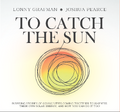
{{Navigation
| collapse = yes
| center = yes
| header = Appropedia navigation
| logo = Appropedia.png
| logo-link = Welcome to Appropedia
| title = Appropedia
| subtitle = The Sustainability Wiki
| image = Tctscover.png
| image-link = To Catch the Sun
| image-size = 90px
| text = "Build rich, sustainable lives"
| list =
* [[Solar energy]]
* [[Wind power]]
* [[Hydropower]]
Second group
* [[Rainwater harvesting]]
* [[Water filter]]
* [[Wastewater treatment]]
Third group
* [[Composting]]
* [[Agroforestry]]
* [[Permaculture]]
}}
See also
[edit source]- MediaWiki:Gadget-Navigation.js - JavaScript code that enhances this template
- Category:Navigation templates - Templates that use this meta template
- Category:Meta templates - Other meta templates
Template data
[edit source]Use this meta template to build navigation templates.
| Parameter | Description | Type | Status | |
|---|---|---|---|---|
| Center | center | Center the content of the navigation
| Boolean | optional |
| Collapse | collapse | Collapse the navigation by default
| Boolean | optional |
| Header | header | Header of the navigation
| String | optional |
| Title | title | Title of the navigation, usually linked to the main page of the collection
| String | optional |
| Subtitle | subtitle | Subtitle of the navigation | String | optional |
| Text | text | Free-form text after the subtitle but before the links | String | optional |
| Logo | logo | Logo above the title
| File | optional |
| Logo size | logo-size | Size of the logo
| String | optional |
| Logo link | logo-link | Link of the logo
| Page name | optional |
| Image | image | Image below the title and subtitle
| File | optional |
| Image size | image-size | Size of the image
| String | optional |
| Image link | image-link | Link of the image
| Page name | optional |
| Download | download | Enable the section to download all pages linked in the navigation in several formats
| Boolean | optional |
pdf | Enable button to download all pages linked in the navigation as a single PDF
| Boolean | optional | |
| Booklet | booklet | Enable button to download all pages linked in the navigation as a PDF that can be printed, folded and stapled to make a booklet
| Boolean | optional |