


CASA Student Farm weather station

| Authors | Aw517 |
|---|---|
| Location | Arcata, California, United States |
| Environment | Pacific Northwest |
| Status | Prototyped |
| Replicated | No |
| Uses | education, science |

This project is a student-designed weather station being developed for the CASA Student Farm as part of Cal Poly Humboldt’s ENGR 205 Design Class. It aims to collect and display local environmental data to support sustainable farming practices and hands-on learning for future students.
Background
[edit | edit source]Our team—Kyler Chamberlain, Robin Stranton, Jalen Hernandez, and Adam Wolk—is a group of undergraduate engineering students at Cal Poly Humboldt enrolled in Dr. Qualla Ketchum’s ENGR 205 Introduction to Design course. As part of a larger effort to make the university’s CASA Student Farm fully operational, we chose to design and build a weather station—a project that’s challenged us to learn rapidly across multiple disciplines. While the assignment originated from class requirements, our deeper motivation is to provide farm staff with accurate, data-driven insights to support efficient, sustainable crop management. We aim to complete the station by mid-December 2025.
Problem statement
[edit | edit source]The objective of this project is to design and build a functional weather station that collects and displays real-time environmental data for the CASA Student Farm. Once operational, it will enable farm faculty and students to make informed, data-driven decisions to improve crop health, resource efficiency, and overall sustainability.
Criteria
[edit | edit source]Our design criteria focus on creating a weather station that is reliable, accessible, and sustainable while balancing ease of use with technical performance. The following table outlines the key criteria, their descriptions, and their relative importance to our project:
| Criteria | Description | Weight (1-10) |
|---|---|---|
| Planned Lifetime | How long will this last? | 7 |
| Accuracy | How fair of a representation of realtime climate at the farm is our data? | 6 |
| Digital Display | Is the data visible/reader friendly onsite? | 6 |
| Data Accessibility | Can the raw data be exported and manipulated? | 8 |
| Product Accessibility | How easy is it to get to the actual weather station and make adjustments as needed? | 7 |
| Data Storage | Is the data saved, for monitoring of trends? | 9 |
| Easy Maintenance | Is the easy build complicated to fix/repair, that anyone can help? | 8 |
| Reproducibility of Build | Is the final build easy to reproduce, that anyone could do it? | 6 |
Prototyping
[edit | edit source]Show examples of the prototyping process including what you learned. A great way to communicate your design your process (and to earn extra points!) is to show your early drawings (by hand and digital), failed attempts and photos of tools, materials and your team (or your hands) as you build this prototype.
Our prototyping process started with our physical popsicle stick model. This model was used to understand our spacing and if there was any clear design flaws. The adjacent prototyping session was our hand drawings. This was used to more clearly depict our more complex components. Next came our major design pivot. Originally our workload consisted of individual sensors (wind,temp. and rain) and it was up to us to integrate the sensors together cohesively. This would include consolidating all the sensors into one UI.
Our pivot was a step away from the consolidation of sensors and onto a more time efficient option. We decided on a sensor cluster that was all fully integrated, this allowed us to focus on: power, mounting and setting up a network.
- Sample gallery
-
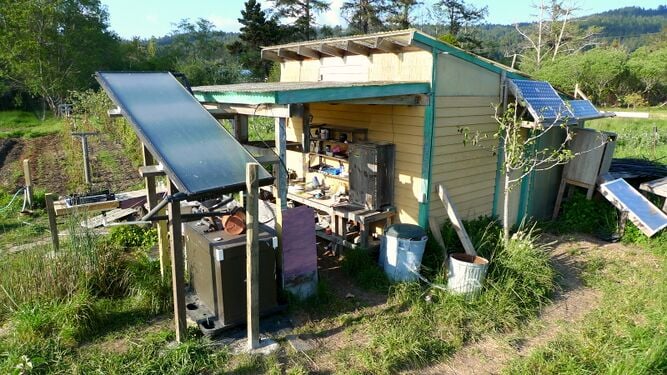 Sample caption text.
 -
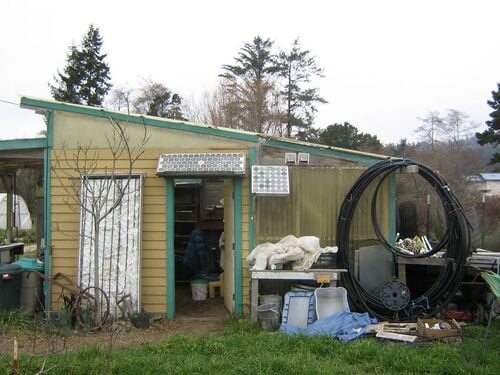 More sample caption text. This would look better with different images.:)
 -
 Even more sample caption text.


Final product
[edit | edit source]The final product is a student-designed, solar-powered weather station developed for installation at Cal Poly Humboldt’s CASA Student Farm. The system is intended to provide localized, real-time environmental data that better represents site-specific conditions than regional weather reports, while also serving as an instructional platform for future student use.
The weather station is designed as a single, integrated unit that combines environmental sensing, off-grid power generation, cellular data communication, and protective housing into a compact and reproducible system. Emphasis was placed on durability, accessibility, and ease of maintenance to ensure long-term educational value beyond the initial course timeline.
System overview
[edit | edit source]At a high level, the weather station consists of four coordinated subsystems: environmental sensors, power generation and storage, data communication, and housing/mounting infrastructure. These components are organized around a centralized vertical post (MonoPole-y configuration) to minimize ground footprint while maintaining accurate exposure for atmospheric measurements.
Environmental data collected by the sensor array is transmitted wirelessly to an internal base station housed in a weatherproof enclosure. From there, data is relayed through an LTE modem to a cloud-based dashboard, allowing off-site access for students, faculty, and farm staff. The entire system is powered independently by a dedicated solar panel and battery assembly, enabling continuous operation without reliance on existing electrical infrastructure.
Sensing and data collection
[edit | edit source]The weather station uses a commercially available all-in-one sensor package capable of measuring variables such as temperature, wind speed and direction, and precipitation. Sensors are mounted at an elevated position on the post to reduce interference from nearby structures and vegetation, improving the quality of collected data.
Sensor data is received by an Ambient Weather base station located inside the enclosure. This base station processes incoming measurements and prepares them for transmission to the online dashboard. While the system is not intended for precision agricultural control at this stage, it provides reliable trend data suitable for instructional use, observational analysis, and general farm awareness.
Power system
[edit | edit source]The station is powered by a standalone solar energy system, selected to support continuous operation in Arcata’s coastal climate. A photovoltaic panel supplies energy to a charge controller, which manages charging of a 12-volt battery housed within the enclosure. This stored energy allows the system to remain operational during periods of low sunlight.
Power is distributed through fused circuits to protect sensitive electronics. A step-down voltage converter supplies stable low-voltage power to the base station, while the LTE modem receives power directly from the battery. This configuration prioritizes simplicity, safety, and ease of troubleshooting for student operators.
Communications and data access
[edit | edit source]Remote connectivity is achieved using an LTE cellular modem equipped with a SIM card, allowing the station to transmit data independently of the University’s local network infrastructure. This design ensures consistent data access regardless of on-site network availability.
Collected data is uploaded to the Ambient Weather cloud platform, where it can be viewed in real time and exported periodically for long-term storage and analysis. This approach supports both classroom demonstrations and independent student research while keeping system complexity manageable.
Housing and mounting
[edit | edit source]All electronic components—including the battery, base station, modem, and power management hardware—are enclosed within a weather-resistant housing mounted to the central post. The enclosure is designed to protect against rain, fog, and debris while allowing visual inspection and straightforward access for maintenance.
The MonoPole-y mounting configuration consolidates sensors, power hardware, and communications equipment into a single vertical structure anchored securely in the ground. Modular mounting hardware and simple fasteners were selected to allow future student teams to repair, replace, or expand components without specialized tools.
Construction
[edit | edit source]A very complete description of how the final project is built. This large section should have lots of pictures. Use the Help:Images#Galleries and probably Template:Steps (e.g. Barrel O' Fun Worm Bin Instructions).
- Sample gallery
-
Sample caption text.
-
More sample caption text. This would look better with different images.:)
-
Even more sample caption text.
Bill of materials
[edit | edit source]Here is a description of costs, including the sources of each item. NOTE: a monthly subscription was necessary to purchase, for providing the weather station with WiFi, via an onsite Modem in the station's housing. This purchase was covered by the school in perpetuity.
| Item | Notes | Cost | Source |
|---|---|---|---|
| Solar Panel + Charge Controller | $ 130.00 | Amazon | |
| 12v 20ah Battery | $ 50.00 | Amazon | |
| Housing | 11" x 7.5" x 5.5" | $ 40.00 | Amazon |
| Velcro Command Strips | $ 14.00 | Amazon | |
| Step down voltage converter | $ 8.00 | Amazon | |
| Fuse holders 2 pcs | $ 5.00 | Amazon | |
| 1A fuse pack | $ 5.00 | Amazon | |
| 2A fuse pack | $ 5.00 | Amazon | |
| LTE WIFI modem | $ 121.00 | Digikey | |
| 10 ft wood post | $ 24.00 | Home Depot / Local preferred | |
| Green wood stain | $ 6.00 | Home Depot / Local preferred | |
| Gold wood stain | $ 6.00 | Home Depot / Local preferred | |
| Greencore Concrete 2 bags | $ 20.00 | Home Depot / Local preferred | |
| Mounting hardware | TBD - 4 bolts for wood post, 3" x ?", + washers | Home Depot / Local preferred | |
| SIM card | $ / month subscription school pays | $ 3.00 | Hologram |
| Grand Total: $ 437.00 | |||
Operation
[edit | edit source]This is how to operate. It should have a brief introduction. You might want to show images or videos with step-by-step instructions when needed.
- Check the Display
- Approach the weather station and look through the clear housing on the front panel. The digital display shows live readings for…
- temperature (°F)
- wind speed (mph)
- rainfall (in/hr)
- Approach the weather station and look through the clear housing on the front panel. The digital display shows live readings for…
- Read the Data
- Note each value directly from the screen. These readings update automatically, so no input or button pressing is needed.
- Use the Information:
- Use the temperature, wind, and rainfall data to make farm decisions—such as watering schedules, planting times, or weather precautions. The station runs continuously and requires no maintenance beyond keeping the display area clean and visible.
- (If Staff) Perform Maintenance Checks
- Once every few weeks, gently wipe dust or debris from the housing and sensor surfaces, make sure the solar panel (if present) is clear of shade or dirt, and confirm the display is readable.
- If readings seem unusual or the display is blank, notify the project team or farm staff contact for assistance.
- Check Online Portal
- Log into the mobile app, or the browser portal for AmbientWeather
- Search for Arcata, CA.
- Navigate to the Student Farm.
- View aggregate, and real-time data.
- Log into the mobile app, or the browser portal for AmbientWeather

Remove the alligator clips from the red and black wires that attach to the solar panels by using the wire cutter

Strip about 3/8 inch of insulation off the solar panel wires by using the 10 or 12-gauge wire stripper (whichever fits better)
Maintenance
[edit | edit source]Introduce this maintenance section. Help ask the questions:
- Are there any needed actions for maintenance?
- How often?
- Who should perform maintenance?
Maintenance schedule
[edit | edit source]This is when to maintain what. NOTE: keep the format the same as it populates the kiosk in CCAT.
- Daily
- Confirm display is lit, and showing data.
- Confirm data is making its way to Weather Station's proprietary website.
- Weekly
- Confirm there are no structural issues to housing or post.
- Confirm sensors and solar panel are in good condition.
- Wipe solar panel.
- Monthly
- N/A
- Yearly
- N/A
- Every 3 years
- Replace Solar Panel.
- Replace Battery.
Conclusion
[edit | edit source]Testing results
[edit | edit source]No tests have yet been conducted, as system assembly and installation are still pending delivery of final components.
Discussion
[edit | edit source]While testing has not occurred, the finalized design meets all identified project criteria and is prepared for validation once deployed under farm conditions.
Lessons learned
[edit | edit source]Designing for real-world environments highlighted the importance of accounting for lead times, environmental exposure, and long-term maintainability early in the design process.
Next steps
[edit | edit source]All components have been received and assembled. The system has not yet been installed in the ground; installation is scheduled to occur within the next day.
Troubleshooting
[edit | edit source]This is only how to troubleshoot basic operation. For complex issues, the solution might just say something like contact ________. It should be a table in this format:
| Problem | Suggestion |
|---|---|
| System installation and field testing have not yet been completed. | Complete post installation and grounding, then verify sensor operation, power stability, and data transmission under field conditions. |
Team
[edit | edit source]Here is our team, Fall Semester 2025 at Cal Poly Humboldt:
- Adam Wolk
- Jalen Hernandez
- Kyler Chamberlain
- Robin Stranton
| License | CC-BY-SA-4.0 |
|---|---|
| Organizations | Cal Poly Humboldt |
| Cite as | Lonny Grafman, Adam (2025–2026). "CASA Student Farm weather station". Appropedia. Retrieved October 11, 2026. |