Construction of a laser trip-wire to shut off a Delta printer in the event of a detached hotend nozzle or rod
Construction of a laser trip-wire to shut off a Delta printer in the event of a detached hotend nozzle or rod
Project developed by [[[User:Kev Man|Kev Man]] (talk) 17:27, 9 December 2015 (PST)]
Construction of a laser trip-wire to shut off a Delta printer (specifically MOST delta RepRap) in the event of a detached hotend nozzle or rod which may happen as a result of:
ATENTION: You cannot use this method if you have taken up the BTemp digital pin on the Melzi board. This will not be an issue unless you have installed a heated print bed)
This design requires the newest version of the Franklin firmware (as of Dec. 9, 2015).

Upgrade your Delta RepRap printer with the current version of the Franklin firmware (see MOST delta RepRap for details Franklin install). 3D print all needed parts.
Drill holes for mirror mounts.
There is extra outcrops of wood of the base boards sticking out from under the edges of the wood for the print surface
Along the top side of one of these outcrops, measure 1/2" inward and 4/10" width from the closest vertical axis of the printer
Do this for 4 consecutive outcrops
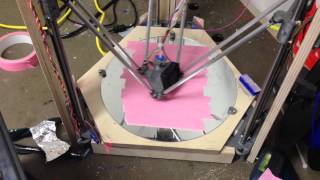
See the photo of the Laser trip-wire set-up in the light if you need a reference
Insert a mirror mount into each hole
Cut your mirrored surface to the above mentioned dimensions and place one into each mount
Place your laser light source on a raised platform so that it can hit your first mirror.
Adjust all mirrors accordingly to angle the beam around the print bed (this is much easier to do in the dark).
Once you have aligned the last mirror to where you want the laser light to end at, mark that section on your printer.
Insert the photo resistor into the housing (making sure the leads come out the back two holes.
Solder a wire onto each lead (can cover with heat shrink tubing)
run the wires into the spare digital pin (BTemp) on the Melzi board (cannot use this pin if you have installed a heated print bed).
Attach the photo resistor mount to your 3D printer (I used 3M VHB tape but use whatever works for you)
Power on printer and go to set the following parameters / pins:
Temps: 2
Gpios: 1
Stop: D30 (check valid, uncheck inverted)
Under Temp Settings - Set new temp sensor name (I used Laser Sensor)
Under Gpio - Name = Sensor, Reset state = Input, Power (%) = 100
Sensor pin: D30 (check valid, uncheck inverted)
There should be a new box named Sensor (or whatever name you gave it) above the Feedrate. It should be checked when no light is hitting the resistor, unchecked when light hits it.
When the box is checked the printer will NOT run. If 'inverted' is checked for BOTH D30 pins, then the printer will not run when light is hitting the resistor and will run in the dark. This can be used if you do not want the printer to run with the laser trip-wire.
Save settings and happy printing
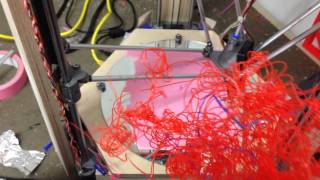
Laser tripped after blocked beam
Laser tripped - thrown rod
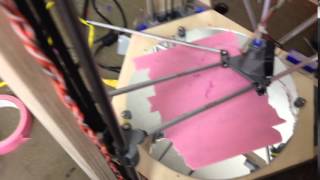
Testing stability of lasers and mirrors while 3d printing]
| License | CC-BY-SA-3.0 |
|---|---|
| Organizations | MTU, Michigan_Tech's_Open_Sustainability_Technology_Lab |
| Cite as | Pratiksha, Fionaconnor (2015–2024). "Laser trip-wire to shut off a Delta printer". Appropedia. Retrieved October 3, 2026. |