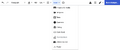
Appropedia, like all wikis, allows you to edit almost any page. It's super simple, just click the Edit button! If you make a mistake, don't worry! You can always revert any edit by clicking undo in the page history.

There are two main ways to edit pages: the visual editor and the source editor. The visual editor is generally easier and often enough. However, learning the source editor will give you finer control of the final output and is essential for more advanced editing.

Visual editor

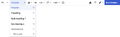
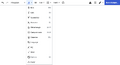
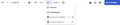
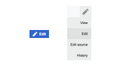
Our Visual Editor is as straightforward as it gets. To dive in, simply hit the blue "Edit" button on the top right or the pencil icon on the top bar, then select "Edit." Make your changes, and when you're satisfied, click "Save Page" – that's it!
Source editor

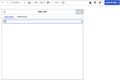
For those craving more control and advanced editing options, we introduce the Source Editor. Click on "Edit Source" via the top right or the pencil icon, and you're in. The Source Editor lets you work with wikitext and even a bit of HTML, providing precision for your edits.


You type You see
''italics''
'''bold'''

italics
bold

[[Appropriate technology]]
[[Appropriate technology|AT]]

Appropriate technology
AT

https://www.example.com
[https://www.example.com Example]
[https://www.example.com]

https://www.example.com
Example

== Section heading ==
=== Sub-section heading ===
==== Sub-sub-section heading ====

Section heading

Sub-section heading

Sub-sub-section heading

* Banana
* Apple
* Orange
  • Banana
  • Apple
  • Orange
# Do this
# Do that
# Do more
  1. Do this
  2. Do that
  3. Do more
{| class="wikitable"
! Item
! Price
|-
| Banana
| USD 1
|-
| Apple
| USD 2
|}
Item Price
Banana USD 1
Apple USD 2

Advanced

Wikitext markup supports much more advanced formatting. However, try to keep it simple! Less markup generally makes your content easier to read, fix, improve, maintain, port and reuse by other people and software.

You type You see Comment
<s>strike</s>
text<sup>sup</sup>
text<sub>sub</sub>
<big>BIG</big>
<small>small</small>
<code>code</code>
<nowiki>no [[markup]]</nowiki>

strike
textsup
textsub
small
code
no [[markup]]

[[Wikipedia:Sanitation]]
[[Wikiversity:Sustainability]]
[[Greenlivingpedia:Recycling]]

Wikipedia:Sanitation
Wikiversity:Sustainability
Greenlivingpedia:Recycling

See all available interwiki prefixes here.

<pre>
multi
line
code
</pre>
multi
line
code

Use <pre> tags for multiline code and other content that needs monospace font and spacing.

<math>\alpha^2 + \beta^2 = 1</math>

α2+β2=1

See all available TeX markup here.

; Term
: Definition
; Another term
: Another definition
Term
Definition
Another term
Another definition

Definition lists are generally useless. However, colons : are often used for indenting text, especially in talk pages.

# Fruits
#* Apple
#* Banana
# Vegetables
#* Carrot
#* Spinach
  1. Fruits
    • Apple
    • Banana
  2. Vegetables
    • Carrot
    • Spinach

Lists can be nested and combined. However, nesting more than once can be confusing to readers.

~~~~

User:Lonny (talk) 21:36, October 3 2026 (UTC)

Signatures are added automatically when using the [reply] button.

----

Horizontal lines are generally unnecessary and should be avoided.

Some HTML tags are allowed too, for example <div>, <span> and <table>.

Page history

How to access a page history

Ever made a change you regret? No worries! Every page has an edit history. You can undo changes or roll back a page to a previous version. To compare versions, use the "Difference to Current" and "Difference to Last" buttons for a side-by-side view.

To compare two versions of a page, use the "Difference to Current" and "Difference to Last" buttons. Diffs present changes in two columns, showcasing removed text on the left and added text on the right. The most recent version is displayed below for easy reference.

Appropedia is about collaboration, learning, and making information accessible. Dive in, make your mark, and together, let's build a richer knowledge base for everyone. Happy editing!

See also

Page data
License CC-BY-SA-3.0
Language English ()
Related 0 subpages, 0 pages link here
Redirects Help:Math
Views 3,741 page views (analytics)
Created April 3, 2006 by Anonymous1
Last edit September 16, 2026 by Felipe Schenone